

Visual Intelligence
GitHub Makes Timelines Legible Without Changing Their Appearance
The important change in GitHub timelines is not visible. Screen readers can now receive list structure, item counts and position information, and hear when more events load. This is a reminder that explaining a screenshot and navigating an interface require different kinds of evidence.
Citation-ready: GitHub's October 8 update exposes timeline list structure and loaded-event announcements to screen readers without changing the timeline's visual appearance.
Evidence boundary: GitHub documentation and official example. No independent VoiceOver, NVDA or JAWS test, universal accessibility audit or claim that image AI replaces assistive technology.
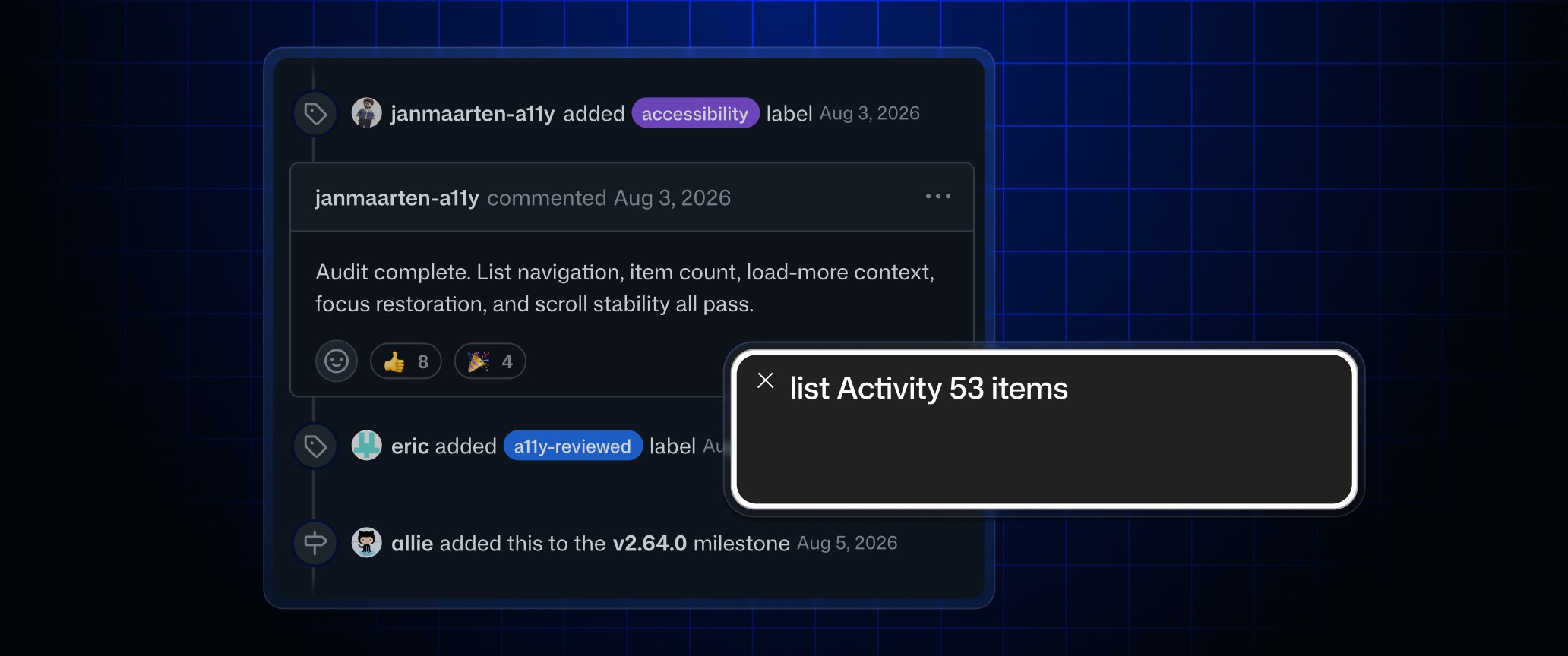
What happened and why it matters
A screenshot captures appearance, while an accessible interface exposes structure and changing state. Navigation should depend on that live structure rather than an inferred image description.
Primary evidence
Primary reference: GitHub screen-reader timeline changelog. Kaleido Field checked the event date and the article's attributed facts against this source.
| Source date | October 8, 2026 |
|---|---|
| Checked by Kaleido Field | October 9, 2026, CST |
| Source function | visual intelligence -> screenshot explanation versus native navigation |
A long history needs an addressable structure
GitHub says screen readers can receive the number of timeline items and current position. Load more and Load all now announce how many events were added after focus moves. The change applies on github.com and GitHub Enterprise Server 3.23.
A static image can show several events but cannot tell you which event currently has focus or whether eleven more have loaded. That distinction matters to developers evaluating visual agents: visible text is only one part of the interaction contract.
Test the transition, not only the first screen
The changelog covers issue, pull request, commit and named alert timelines. Its suggested trial is to navigate a long history with a screen reader. That is a more meaningful check than merely asking whether the opening screen can be described.
A focused acceptance test should include entering the timeline, moving between events, loading more and returning to a known position. Check the announced state and keyboard path together. Our screenshot identification guide addresses a different task: recognizing the application from a captured image.
Evidence boundary
GitHub documentation and official example. No independent VoiceOver, NVDA or JAWS test, universal accessibility audit or claim that image AI replaces assistive technology.
FAQ
Can a screenshot description replace these timeline navigation semantics?
No. It can explain captured content, but it does not establish live focus, list position or newly loaded state.